img

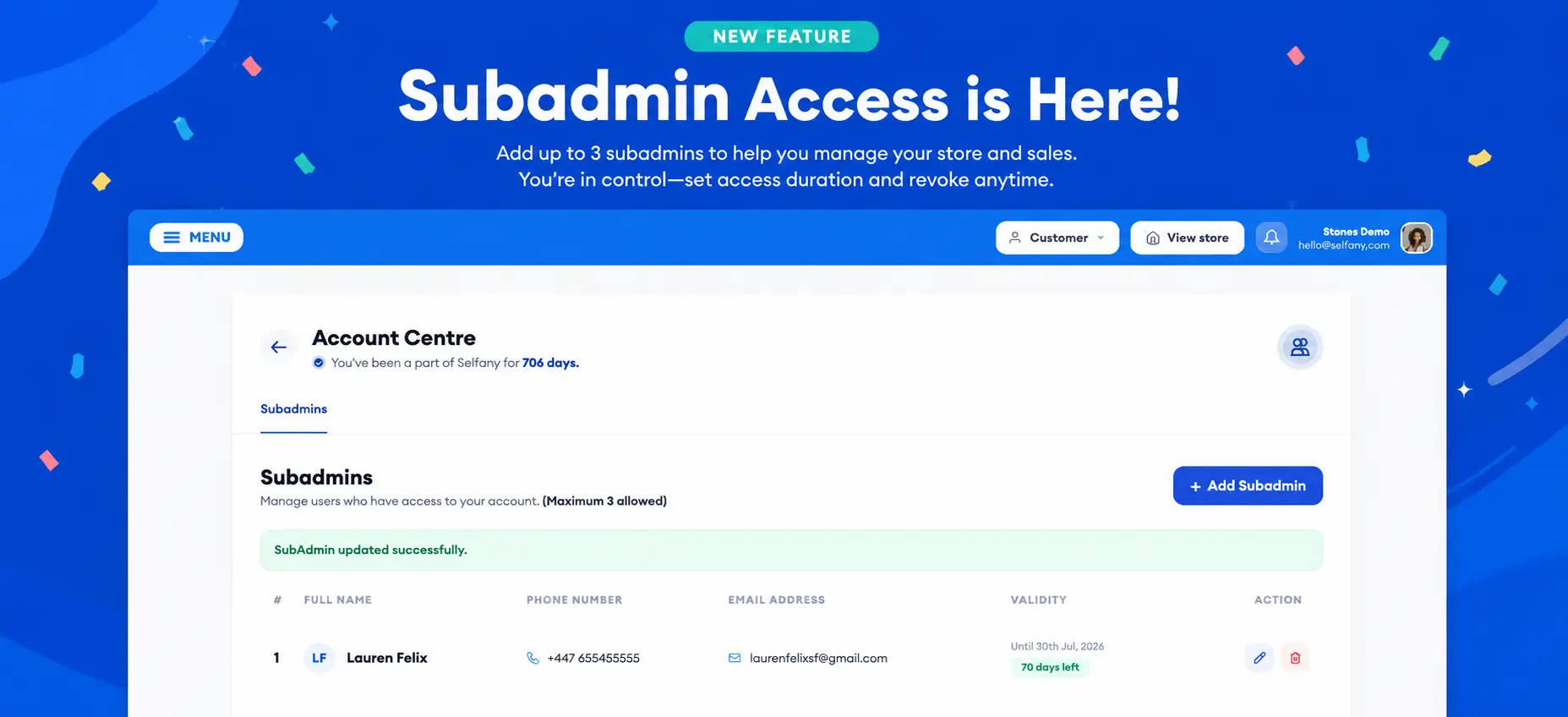
🚀 New Feature Alert on Selfany: Subadmin Access!

Hello dear,

Creators can now grant access to up to 3 subadmins including PAs, staff members, or team members to help manage their Selfany account and daily operations. 

To keep your account private, secure, subadmins will NOT have access to your Payout section, including your bank account details and withdrawal history.

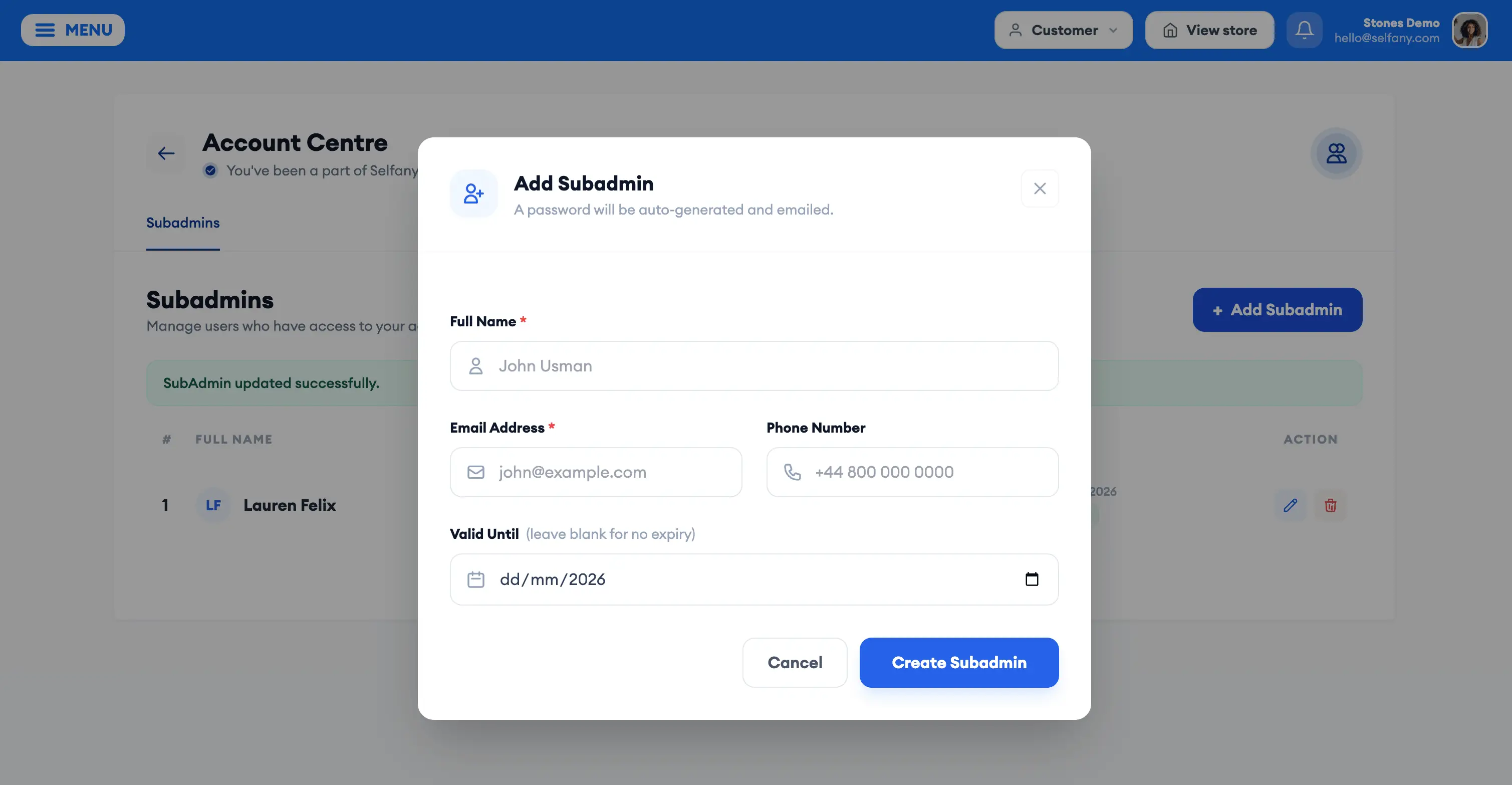
Getting started is simple:
• Add your subadmin’s email and details
• Send them an invite directly from your dashboard
• An email will be delivered with instructions on how to access the account
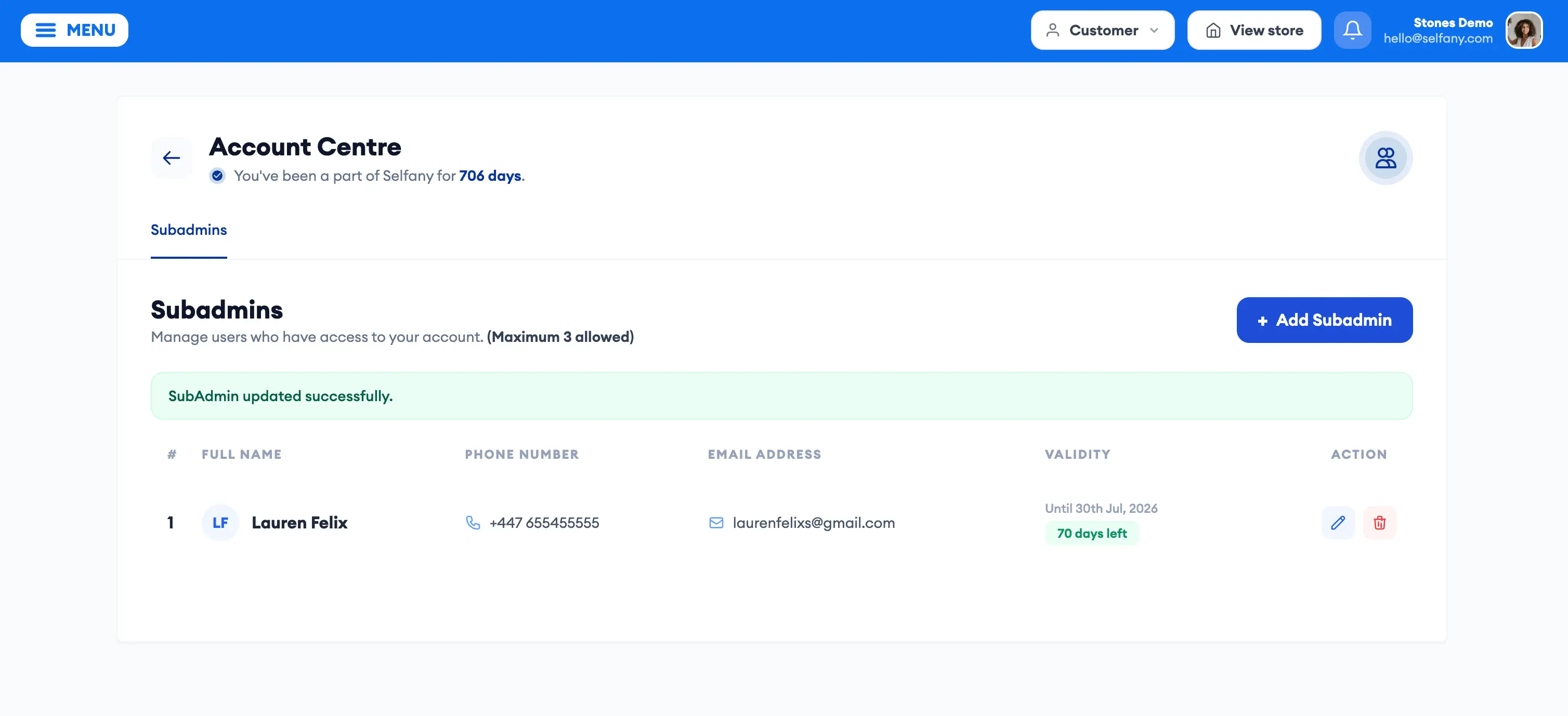
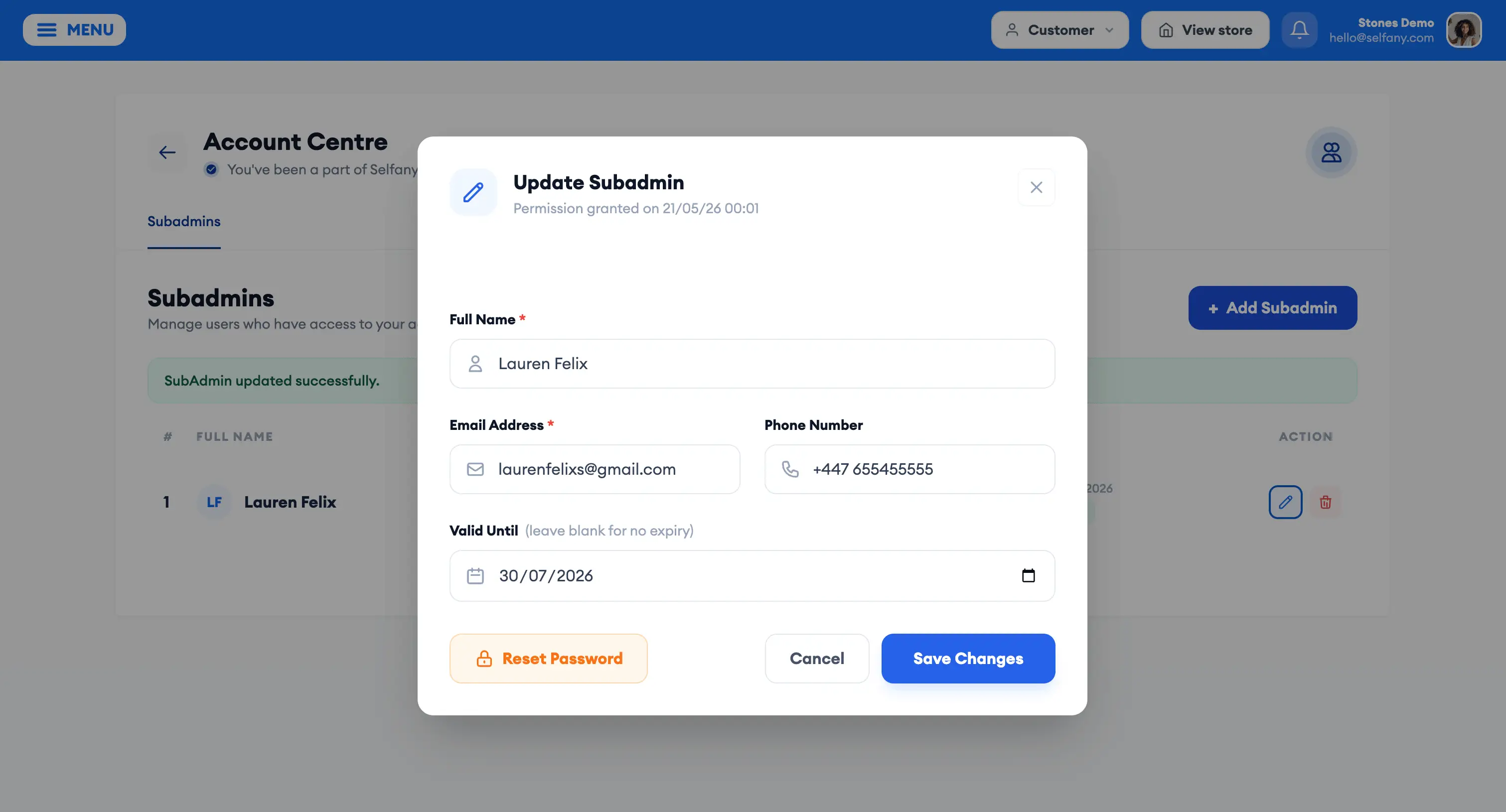
You’re also fully in control:
• Set how long each subadmin should have access
• Revoke access anytime you want
Now you can confidently build a team around your business and get more support managing your store, customers, and sales on Selfany.
We’ve also released more exciting updates and improvements across the platform. Log in today and explore the latest features on your Selfany dashboard! 🔥

SELFANY TECHNOLOGY

Chat
Chat
Selfany Logo
Hi there đź‘‹
How can we help you today?

Here's how to complete your purchase smoothly in 2 mins on Selfany.com:

Get the product link and click it so it opens up the product details page.

Click the "Buy Now" button (or any available purchase button labelled).

You may see recommended products — feel free to add them or continue without them.

Proceed to the payment page.

Enter your contact details.

Choose your preferred payment method:

Card

Mobile Money

Bank Transfer

Or other available options

That's all! Your order will be processed instantly.

ENSURE TO USE YOUR CORRECT EMAIL AS THAT IS WHERE THE RECEIPT FOR PURCHASE AND ACCESS WILL BE SENT. YOU CAN ACCESS THE PRODUCT USING THE SAME EMAIL ADDRESS USED TO PURCHASE AFTER YOU HAVE CREATED AN ACCOUNT ON SELFANY.COM.

Watch this video guide if you need further help or contact us if you have any issues.

1. Sell a product or service
Upload your digital or physical products and earn from every sale. Sell to anyone, anywhere in the world. Guide

2. Become an affiliate marketer
Promote other creators’ products and earn a commission on every successful sale. Guide

3. Refer creators or sellers to sign up on Selfany
Earn when your referred users complete an eligible signup. Guide

4. Promote Selfany in your content
Advertise Selfany in your videos, posts, or other content creations and earn from approved promotional activities. Guide

Check our Youtube and Instagram for details<.< /p>

Contact Selfany 24hrs Support

Reach out to Selfany support team

Built by Selfany